
Store your warranties, with complete ease.
Four ways to keep your receipts and warranties: choose the one that suits you best. We take care of the rest, even reminding you of expiry dates.
Four methods, one archive.
From the WebApp
Store receipts and warranties in a few taps, directly from the Garanteasy app.
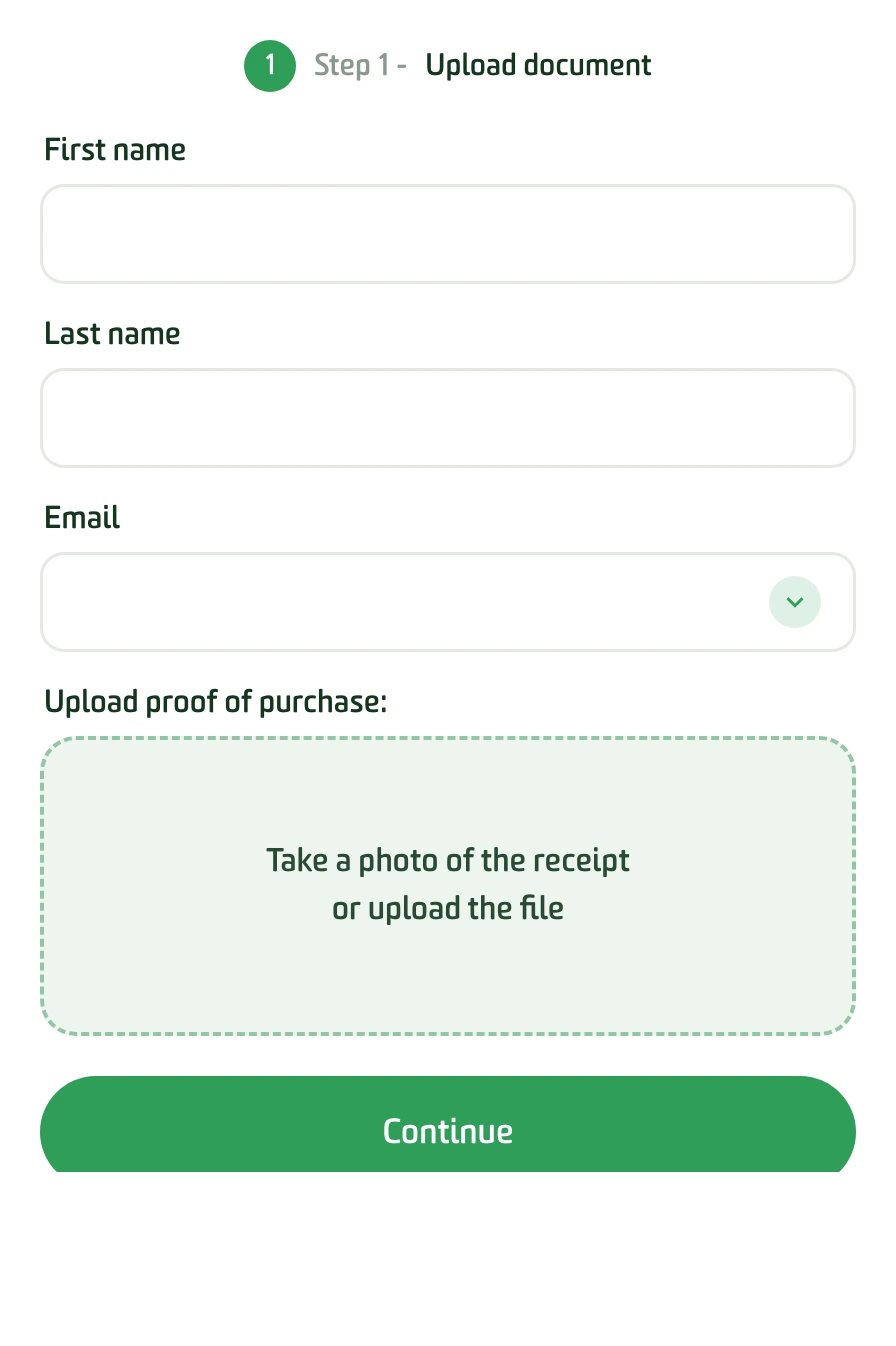
Step 1 — Upload the document
Take a photo of the receipt or select a file already saved on your device.
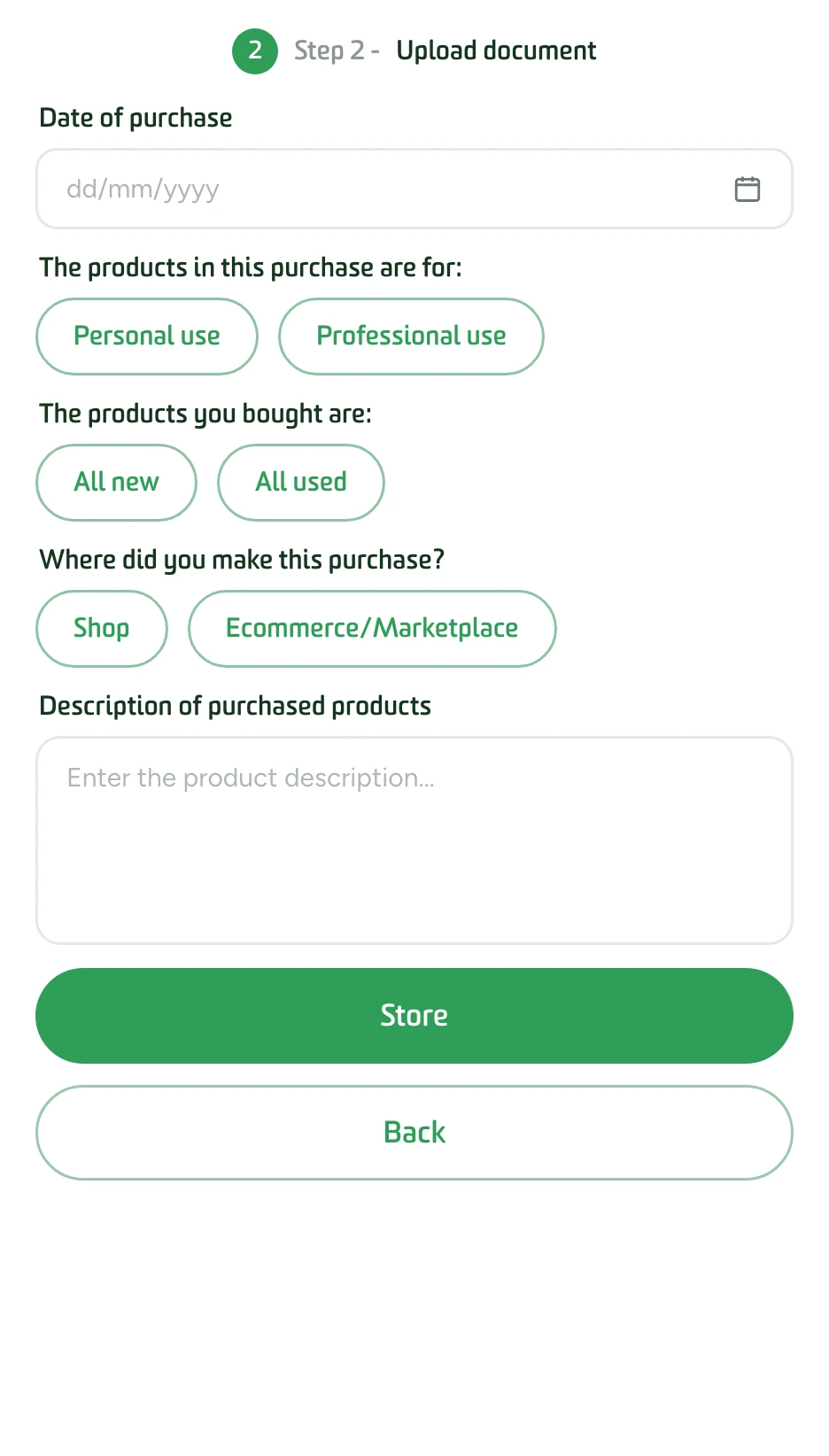
Step 2 — Add the details
Enter the simple details of your proof of purchase: we store everything in the right place and remind you when it expires.
By email
Wherever you are, send your warranty document (receipt, invoice, delivery note) as an email attachment.
- Photograph the receipt Lay it flat on a surface and take the photo with your smartphone; check that it is legible.
- Send it to archivio@garanteasy.com Share the photo by email to that address, with a subject line that reminds you what it refers to.
- Receive confirmation Within a few minutes you receive a confirmation email: your warranty is stored.

Automatically
At partner shops and e-commerce sites, storage happens on its own, at the moment of purchase.
- In-store At the till, before paying, ask for the receipt to be stored automatically.
- Online On partner sites the site itself offers it before payment: you just need to authorise it.

From your account area
From your Garanteasy account you can store any document: receipts, invoices, certificates, insurance policies and contracts.
- Log in Log in to your account area with your email and password.
- Add receipt Click “+ Add receipt” and fill in the form with the relevant details.
- Upload and save Upload the document and save. Done.

A fault? Report it and request a repair.
From your account area you can report a fault and request repairs, both under warranty and out of warranty. We guide you, step by step.
Report a faultFrequently asked questions.
How do I store a receipt or a warranty?
You upload a photo of your proof of purchase from the app or your account area, or you forward it by email to archivio@garanteasy.com: we take care of filing it and reminding you of the expiry date.
Can I store a warranty by email?
Yes. Send a photo of the receipt or invoice as an attachment to archivio@garanteasy.com and receive confirmation that it has been stored within a few minutes.
What can I store besides receipts?
Invoices, warranty certificates, insurance policies, contracts and any document linked to your purchases: all in one secure place.
Does Garanteasy notify me when a warranty is about to expire?
Yes. We record the duration and expiry date of every warranty and notify you before it expires, so you never lose your rights.
Do I need to register to store my warranties?
Yes, you need a free Garanteasy account. At partner shops and e-commerce sites, storage can also happen automatically at the moment of purchase.
Is storing warranties free?
Yes, storing and keeping your warranties with Garanteasy is completely free.
Are you a retailer, an e-commerce business or a manufacturer?
Offer your customers automatic warranty storage: simple, transparent and impartial.
Find out more